What Is an AI Chart Maker and How Does It Work?  

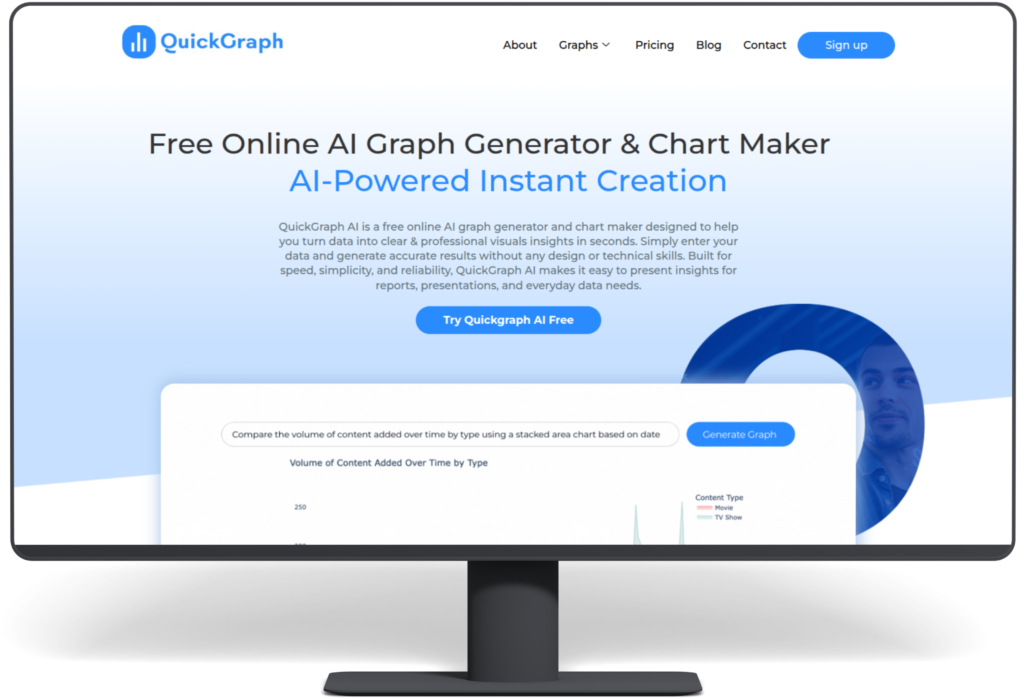
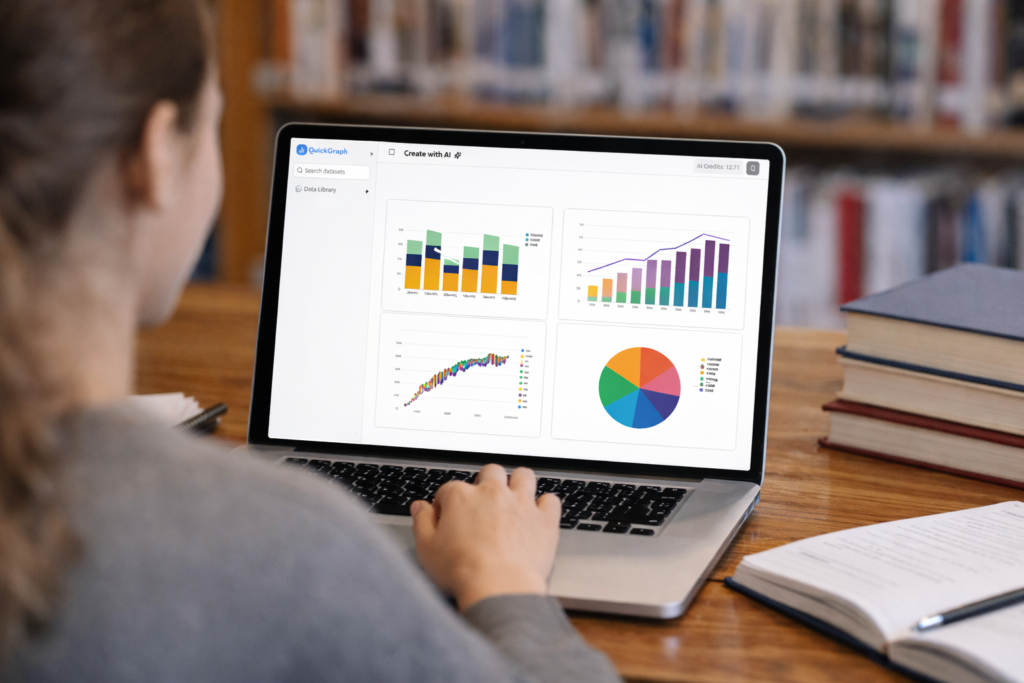
An AI chart maker is a smart data visualization tool that uses artificial intelligence to convert raw data into clear, accurate charts automatically. QuickGraph AI provides tools that create professional charts within seconds because it analyzes your data without requiring you to select chart types or format axes or change design elements. 

What Problems Do Traditional Chart-Making Methods Have? 

The process of creating charts requires time and effort and technical skills when people use traditional spreadsheet software and design software to create their charts. Users must choose the appropriate chart type for their data needs while performing data cleaning and axis labeling and visual element modifications. The following challenges occur frequently in work situations: 

Common challenges include: 

  • Time-consuming setup 
  • Incorrect chart selection 
  • Poor readability 
  • Lack of design consistency 
  • Steep learning curve for beginners 

Work processes become delayed through these problems which result in visual outcomes that either confuse users or present false information. 

How an AI Chart Maker Solves These Problems

The AI chart maker simplifies chart creation because it handles all the necessary tasks for making charts. The system automatically detects data patterns which enables it to choose appropriate visual representations while maintaining design standards. 

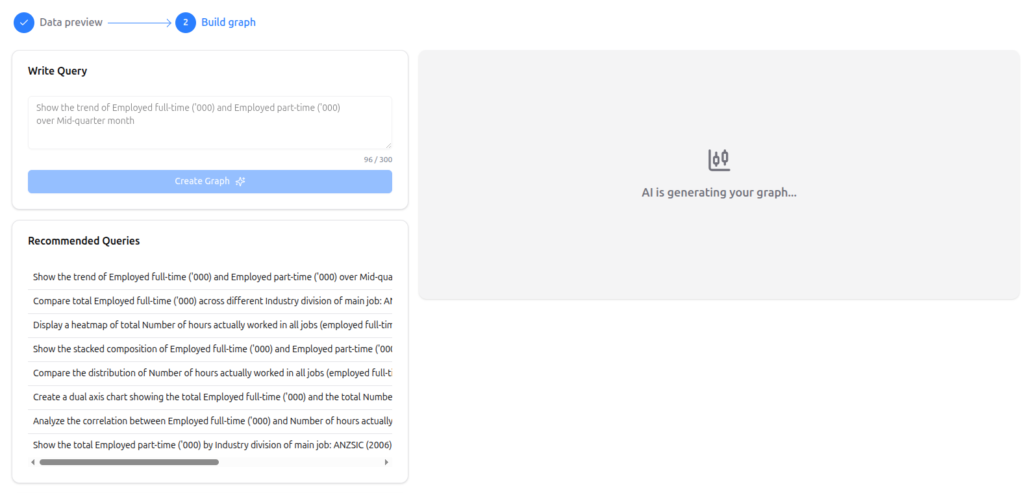
QuickGraph AI provides users with three main advantages which help them discover insights without needing to work on their presentation. 

How Does an AI Chart Maker Work? Step-by-Step 

1. Data Input and Understanding 

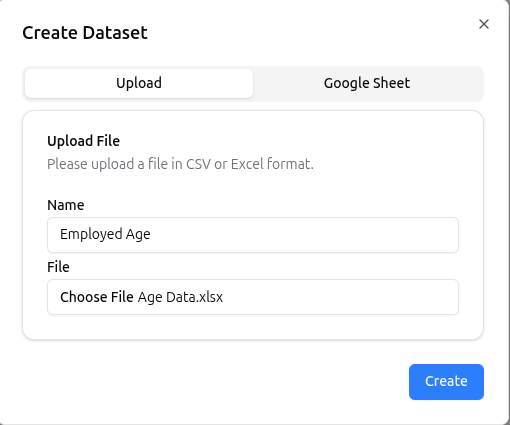
The process starts when users provide data. This can be done by: 

  • Uploading files (CSV, Excel) 
  • Pasting raw data 
  • Entering text-based data descriptions 

The AI scans the dataset to understand values, categories, trends, and relationships. 

2. Data Cleaning and Structuring 

AI automatically detects inconsistencies such as: 

  • Missing values 
  • Duplicate entries 
  • Incorrect formatting 

It organizes the data into a structured format, ensuring charts are accurate and easy to read. 

3. Smart Chart Type Selection 

One of the biggest advantages of AI chart makers is automatic chart selection. Based on the data type, the AI decides whether a: 

  • Bar chart 
  • Line chart 
  • Pie chart 
  • Scatter plot 
  • Comparison chart 

will best represent the information. 

With QuickGraph AI, this decision happens instantly, removing guesswork. 

4. Visual Design and Styling 

After selecting the chart type, the AI applies: 

  • Balanced spacing 
  • Clear labels 
  • Readable scales 
  • Consistent colors 

The goal is clarity, not decoration. Charts are designed to be presentation-ready without manual styling. 

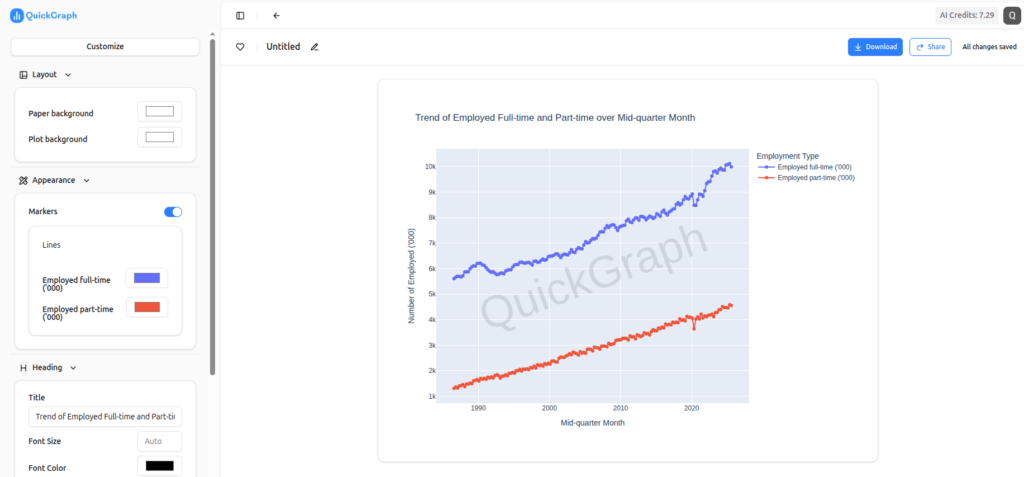
5. Real-Time Chart Generation 

Once everything is processed, the chart is generated instantly. If users update the data, the chart refreshes automatically saving time during revisions and updates. 

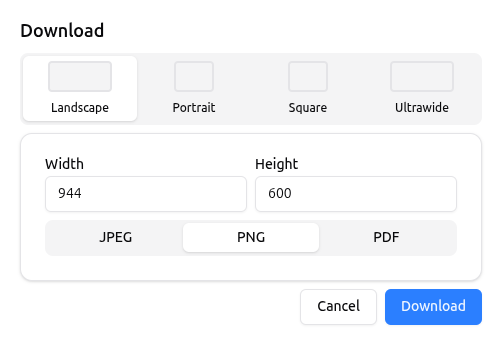
6. Export and Sharing Options 

AI chart makers allow users to download or embed charts easily. Charts can be used in: 

  • Reports 
  • Blogs 
  • Presentations 
  • Social media 
  • Websites 

QuickGraph AI ensures charts remain sharp and readable across platforms. 

Key Features of an AI Chart Maker 

An advanced AI chart maker typically offers: 

  • Automatic data analysis 
  • Smart chart recommendations 
  • Instant visualization 
  • Minimal manual input 
  • Consistent design quality 

QuickGraph AI is built specifically to deliver fast and accurate results without requiring design or technical skills. 

Who Should Use an AI Chart Maker? 

AI chart makers are useful across industries and roles, including: 

  • Students creating assignments 
  • Marketers analyzing campaign performance 
  • Business owners reviewing growth data 
  • Analysts presenting insights 
  • Content creators visualizing statistics 

Anyone working with data can benefit from faster, clearer chart creation. 

Benefits of Using QuickGraph AI 

Using QuickGraph AI offers several advantages: 

  • Saves time by automating chart creation 
  • Reduces errors caused by manual formatting 
  • Improves data clarity and understanding 
  • Requires no design or technical expertise 
  • Produces professional visuals instantly 

This makes it ideal for users who want results without complexity. 

Why AI Chart Makers Are the Future of Data Visualization?

As data volumes grow, manual chart creation becomes inefficient. The future of chart creation will use AI chart makers because they deliver fast results with precise outcomes and simple operation. The software enables users to concentrate on making decisions instead of spending time on design activities. 

Tools like QuickGraph AI demonstrate how artificial intelligence can simplify complex workflows and make data visualization accessible to everyone. 

How to Create AI Charts Faster and More Accurately?

The process of creating charts by hand requires both time and physical work which results in errors during data visualization. The current digital environment demands both accurate results and rapid performance more than any previous time period. The AI Chart Maker is really significant for a paradigm shift in data visualization. This will help you turn raw data into professionally made charts in seconds. 

Students, marketers, business owners, and analysts can enhance their work efficiency and data precision through the use of an AI Chart Maker. The following guide provides users with detailed instructions to create AI charts with increased speed and improved precision. The guide provides step-by-step instructions which help users to create AI charts at a faster pace and better accuracy. 

Step 1: Prepare Your Data Clearly 

Before using any AI Chart Maker, your data must be clean and organized. AI works best when it receives structured input. 

Make sure: 

  • Data is arranged in rows and columns 
  • Headers are clearly defined 
  • There are no unnecessary symbols or blank rows 
  • Numbers are formatted correctly 

Clean data allows the AI Chart Maker to understand patterns quickly and generate accurate visualizations without errors. 

Step 2: Choose the Right AI Chart Maker Tool 

Not all tools provide the same level of accuracy or automation. A good AI Chart Maker should: 

  • Support multiple chart types (bar, line, pie, scatter, etc.) 
  • Automatically suggest the best chart based on your data 
  • Allow quick edits and customization 
  • Export charts in high quality 

Choosing the right AI Chart Maker saves time and ensures your charts look professional and reliable. 

Step 3: Upload or Paste Your Data 

Once your data is ready, upload or paste it into the AI Chart Maker. Most AI-powered tools instantly analyze the dataset. 

At this stage, the AI: 

  • Reads data patterns 
  • Detects trends and relationships 
  • Understands numeric and categorical values 

This automation removes the need for manual calculations and chart selection. 

Step 4: Let AI Select the Best Chart Type 

One of the biggest advantages of using an AI Chart Maker is smart chart selection. Instead of guessing which chart works best, AI automatically recommends the most suitable option. 

For example: 

  • Comparisons → Bar charts 
  • Trends over time → Line charts 
  • Percentage distribution → Pie charts 

This step improves accuracy and ensures your data is presented in the most meaningful way. 

Step 5: Customize the Chart for Better Clarity 

Even though AI handles most of the work, small customizations improve readability and user engagement. 

You can: 

  • Edit chart titles and labels 
  • Adjust axis names 
  • Modify values or categories 
  • Reorder data points 

A good AI Chart Maker allows quick edits without breaking the data structure. 

Step 6: Review Data Accuracy Carefully 

AI reduces errors, but reviewing the final output is still important. Check: 

  • Values match your original data 
  • Labels are correct 
  • No missing or duplicated information 

This step ensures the AI Chart Maker has interpreted your data correctly and that your chart is fully accurate. 

Step 7: Export and Use Your AI Chart 

Once finalized, export your chart in the required format. Most AI Chart Makers support: 

  • PNG or JPG for blogs and websites 
  • PDF for reports 
  • SVG for high-quality designs 
  • Embedding options for presentations 

This flexibility makes AI charts perfect for content marketing, assignments, business reports, and social media. 

Why Use an AI Chart Maker Instead of Manual Tools? 

Using traditional tools often requires technical skills and extra time. An AI Chart Maker simplifies the entire process. 

Key benefits include: 

  • Faster chart creation 
  • Higher accuracy 
  • No design skills needed 
  • Smart automation 
  • Professional-quality visuals 

This makes AI chart makers ideal for anyone who works with data regularly. 

Final Thoughts 

An AI Chart Maker has become essential because it helps organizations create data visualizations more effectively. The step-by-step methods enable you to create AI charts in a faster and more accurate way while working with less effort.  
 
The best solution for saving time and preventing mistakes while creating professional data presentations involves using an AI Chart Maker. The combination of clean data with intelligent automation and fast customization options enables users to create AI charts with powerful and easy-to-use features. 

How Students Can Turn Assignment Data into Charts Using AI?

Data-driven assignments are now a core part of education. From business analytics and economics to science, psychology, and engineering, students are expected to analyze data and present it clearly. However, raw numbers in tables rarely make an impact. This is where an AI Chart Maker changes the game helping students convert assignment data into clean, professional charts in minutes instead of hours.

In this guide, you’ll learn how students can use AI-powered tools to transform spreadsheets and datasets into charts that improve clarity, grades, and presentation quality.

ai chart maker for student assignments

Why Charts Matter in Student Assignments?

Universities increasingly emphasize data interpretation and data literacy, not just data collection, as highlighted by research exploring university students’ perspectives on data skills and employability.

  • Clear trends and patterns
  • Logical comparisons
  • Visual evidence to support conclusions

Charts make assignments easier to understand and more persuasive. A well-designed graph can communicate insights faster than a full page of explanation.

But traditional chart creation tools often:

  • Require manual formatting
  • Take time to learn
  • Produce inconsistent visuals

That’s why students are shifting toward AI-powered visualization tools.

Common Problems Students Face with Data Visualization

Before AI, students typically struggled with:

  • Choosing the right chart type
  • Formatting axes, labels, and legends
  • Cleaning messy datasets
  • Spending hours adjusting visuals instead of analyzing results

Many still rely on traditional tools like Excel or Google Sheets, which are powerful but time-consuming for beginners. According to academic productivity comparisons published by tools like Microsoft Excel, manual chart creation often distracts students from actual analysis.

AI removes these barriers.

How AI Helps Students Create Charts Faster?

AI-powered chart tools analyze your data automatically and recommend the most suitable visual format. Instead of manually deciding between bar charts, line graphs, or scatter plots, the system does the thinking for you.

With QuickGraph AI, students can:

  • Upload CSV or spreadsheet files
  • Instantly generate accurate charts
  • Switch chart types with one click
  • Focus on insights instead of formatting

This makes AI tools especially valuable for students managing tight deadlines and multiple assignments.

how students create charts using ai

Step-by-Step: Turning Assignment Data into Charts Using AI

1. Prepare Your Data

Organize your data in a simple format:

  • Columns with headers
  • No merged cells
  • Clear numeric values

Most AI tools work best with structured data.

2. Upload Data to an AI Chart Tool

Instead of building charts manually, upload your file to QuickGraph AI. The system reads the dataset and identifies relationships automatically.

No advanced technical skills required.

3. Let AI Suggest the Best Chart

AI detects whether your data shows:

  • Trends over time → Line or Area chart
  • Comparisons → Bar or Column chart
  • Distribution → Histogram or Box plot

This step alone saves students a significant amount of time.

4. Customize for Academic Clarity

Students can:

  • Rename chart titles to match assignment questions
  • Adjust labels for clarity
  • Highlight key data points

The result looks professional and submission-ready.

5. Download or Insert into Assignments

Charts can be exported and directly added to:

  • Research papers
  • Reports
  • Presentations
  • Group projects

This is especially useful for students working on capstone projects or data-heavy coursework.

Best Chart Types for Student Assignments

Different subjects require different visualizations:

Assignment TypeRecommended Chart
Business or EconomicsBar, Line
Science ExperimentsLine, Scatter
Survey AnalysisPie, Bar
Statistics ProjectsHistogram, Box Plot

AI tools guide students toward these choices automatically, reducing guesswork.

Why Universities Are Encouraging Visual Data Skills?

Modern education focuses on:

  • Analytical thinking
  • Visual communication
  • Data literacy

Students who present insights visually stand out in:

  • Class presentations
  • Research submissions
  • Internships and academic projects

Learning how to use AI for data visualization gives students a practical skill that extends beyond college into professional life.

Why Students Choose QuickGraph AI?

QuickGraph AI is designed for learners, not just professionals. It helps students:

  • Save time on assignments
  • Improve presentation quality
  • Avoid technical complexity
  • Focus on analysis and learning

Whether you’re working on a simple class project or a detailed research paper, AI-powered charts make your work clearer and more impactful.

Final Thoughts

Turning assignment data into charts no longer has to be complicated. With an AI Chart Maker, students can visualize data faster, present insights better, and meet academic expectations with confidence.

As universities continue to emphasize data-driven learning, tools like QuickGraph AI help students stay ahead by transforming numbers into knowledge.